
LinkedIn Link Cleaner: Remove lnkd.in Tracking
LinkedIn appends tracking parameters like trk, li_fat_id, and lipi, and often routes outbound clicks through a link shim (for example: https://www.linkedin.com/safety/go?url=) or shortens them with lnkd.in. Clean your LinkedIn links with Clean Links before you paste or send so people see the real destination without trackers.
Why LinkedIn Tracks Links
- Attribute clicks and conversions to ads, pages, and profiles
- Measure how posts and shares spread across apps and sites
- Keep outbound traffic flowing through LinkedIn‑controlled redirects
Why You Should Clean LinkedIn Links
- Remove
trk,li_fat_id,lipi, and UTMs - Unwrap
linkedin.com/safety/go?url=shims and expandlnkd.in - Share the same page without extra redirects or identifiers
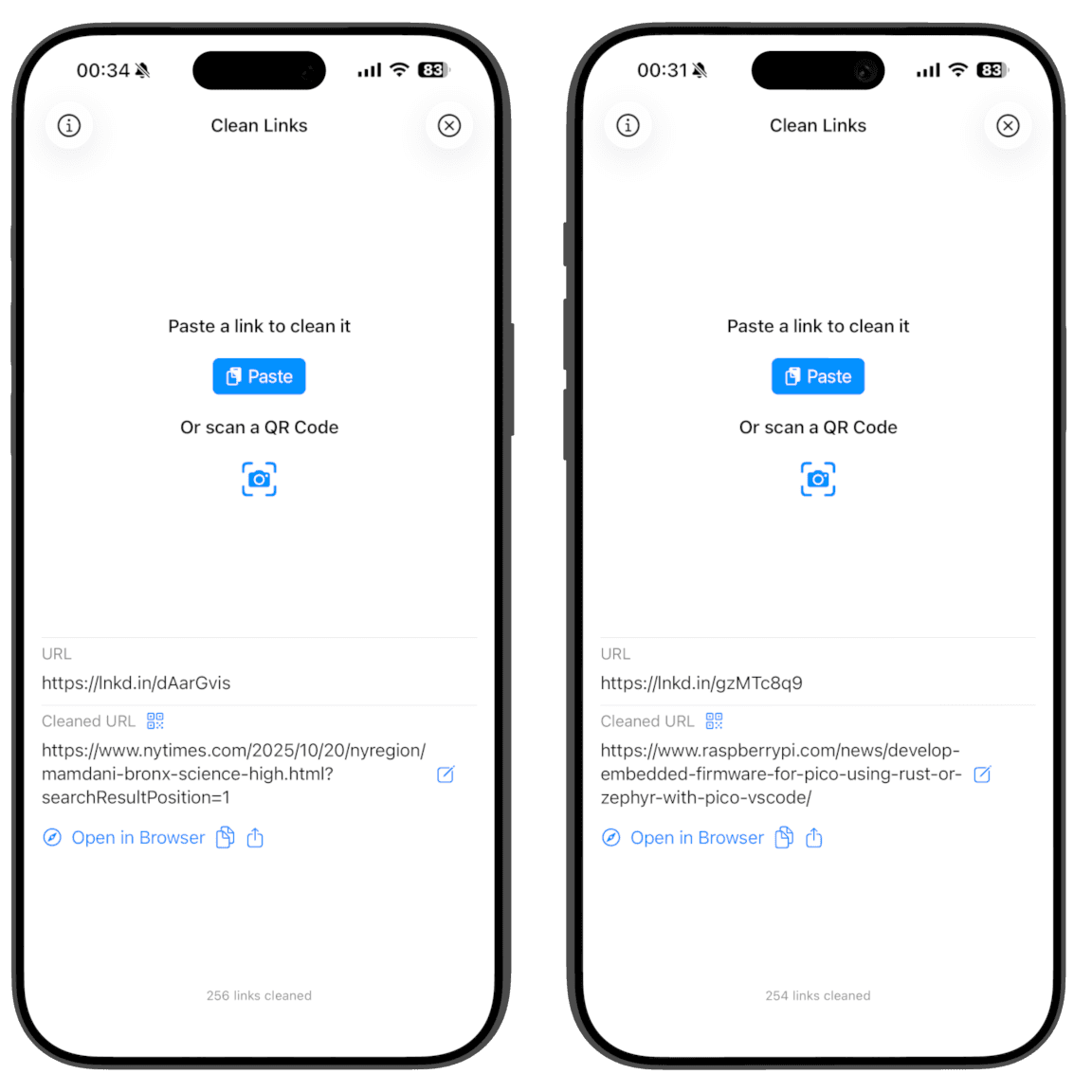
How Clean Links Cleans LinkedIn Links
- Follows redirect chains (including
linkedin.com/safety/go?url=) in an isolated, cookie‑free context - Strips
trk,li_fat_id,lipi, UTMs, and other ad‑tech tokens on the final URL - Works from the iOS Share Sheet; clipboard cleaning is macOS only
- All processing happens on‑device. No logs. No servers. No tracking
Common LinkedIn Tracking And Redirects To Watch
linkedin.com/safety/go?url=...- link shim for external URLslnkd.in/...- LinkedIn short link wrappertrk,li_fat_id,lipi- LinkedIn tracking parametersutm_source=linkedin,utm_medium,utm_campaign- campaign tags
Cleaning removes the tracking tokens and bypasses shims while preserving the destination.
How To Clean LinkedIn Links On iPhone, iPad, And Mac
Using the Share Sheet is the fastest and easiest way to clean links. Alternatively, open the app to clean and auto‑copy the result.
iPhone and iPad (Fastest: Share Sheet)
- Open LinkedIn and find the post or article link you want to share.
- Tap Share and choose Clean Links in the share sheet.
- Clean Links unwraps shims, expands
lnkd.in, removes tracking, and offers Copy or Share. - Tap Share to reshare - iOS opens another share sheet prefilled with your cleaned link.
- Or tap Copy to paste anywhere.
- Optionally: Generate QR to share in person.
- Optionally: Send to Mac to open on your Mac - works even if it is offline or on another network.
iPhone and iPad (In The App)
- Open Clean Links.
- Paste the LinkedIn URL and clean it.
- Clean Links automatically copies the cleaned link to your clipboard so you can paste anywhere.
Mac (Menu Bar)
- Copy any LinkedIn URL on your Mac.
- Click Clean Links in the menu bar to replace it with the clean, expanded URL.
- Paste anywhere with trackers removed.
Clean Links Features
- Available on iPhone, iPad, and Mac
- Unmask shortlinks like
lnkd.in,t.co, andbit.ly - QR code reader and generator for clean sharing
- Send to Mac: open the cleaned link on your Mac - works even if your Mac is offline or on another network
- Apple Shortcuts support to automate cleaning in your workflows
- Privacy‑first design: no analytics, no identifiers, no link history
FAQ: LinkedIn Link Cleaner
Does cleaning change where the link goes? No. Cleaning removes trackers and shims but preserves the destination.
Why does LinkedIn use a safety/go link? It is a link shim used to route external links for scanning and tracking. Clean Links unwraps this safely and shows the real URL.
Will cleaning break login or referral flows? Clean Links removes tracking parameters. If a parameter is required for functionality (rare), it is preserved.
Does Clean Links send data to servers? No. All processing is on‑device with no logs or accounts.
Why not just delete parameters manually? Many trackers appear mid‑redirect or hide behind shims. Manual trimming misses those and can break links. Clean Links follows the chain and cleans the final URL safely.
Get Clean Links
Share LinkedIn links without trk, shims, or UTMs. Download Clean Links free and keep your shares private.