
Twitter/X Link Cleaner: Unwrap t.co + Strip Tracking
X (formerly Twitter) wraps every outbound URL in t.co so it can measure clicks, scan for malicious targets, and attribute off-platform actions. Clean your X links with Clean Links before you paste or send so friends get the same page without the redirect wrapper or tracking noise.
Why X Tracks Links
- Attribute clicks and conversions to accounts and campaigns
- Measure how tweets spread through apps and websites
- Add a security layer that routes through
t.co - Keep analytics tied to X-controlled URLs
Why You Should Clean Twitter/X Links
- Expand
t.coto reveal the real destination - Remove UTMs and marketing parameters
- Drop embed/share noise like
ref_src=twsrcwhen present - Share the same content without extra redirects
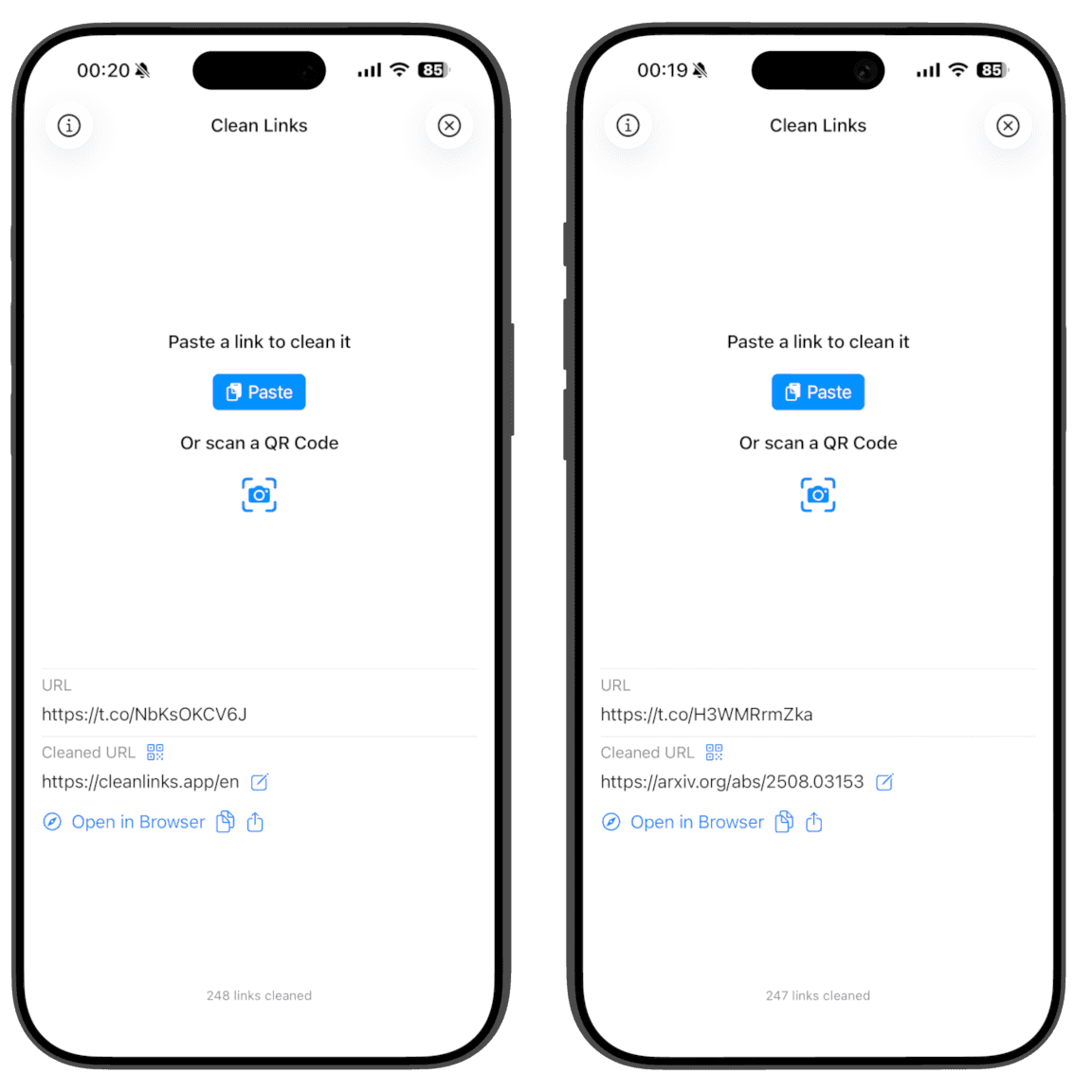
How Clean Links Cleans Twitter/X Links
- Follows the full
t.coredirect chain in an isolated, cookie-free context - Strips UTMs and common share parameters (for example:
ref_src=twsrc) on the final URL - Works from the iOS Share Sheet; clipboard cleaning is macOS only
- All processing happens on-device. No logs. No servers. No tracking
Common Twitter/X Tracking And Redirects To Watch
t.co/...- X short link wrapper used on all outbound linksref_src=twsrcand similar share/embed markersutm_source=twitter,utm_medium,utm_campaign- campaign tags
Cleaning expands the true destination and removes the tracking noise while preserving functionality.
How To Clean Twitter/X Links On iPhone, iPad, And Mac
Using the Share Sheet is the fastest and easiest way to clean links. Alternatively, open the app to clean and auto-copy the result.
iPhone and iPad (Fastest: Share Sheet)
- Open X and find the post or profile link you want to share.
- Tap Share and choose Clean Links in the share sheet.
- Clean Links expands
t.co, removes tracking, and offers Copy or Share. - Tap Share to reshare - iOS opens another share sheet prefilled with your cleaned link.
- Or tap Copy to paste anywhere.
- Optionally: Generate QR to share in person.
- Optionally: Send to Mac to open on your Mac - works even if it is offline or on another network.
iPhone and iPad (In The App)
- Open Clean Links.
- Paste the X URL and clean it.
- Clean Links automatically copies the cleaned link to your clipboard so you can paste anywhere.
Mac (Menu Bar)
- Copy any
t.coor X URL on your Mac. - Click Clean Links in the menu bar to replace it with the clean, expanded URL.
- Paste anywhere with trackers removed.
Clean Links Features
- Available on iPhone, iPad, and Mac
- Unmask shortlinks like
t.co,bit.ly, andlnkd.in - QR code reader and generator for clean sharing
- Send to Mac: open the cleaned link on your Mac - works even if your Mac is offline or on another network
- Apple Shortcuts support to automate cleaning in your workflows
- Privacy-first design: no analytics, no identifiers, no link history
FAQ: Twitter/X Link Cleaner
Does cleaning change where the link goes? No. Cleaning removes trackers and expands short links but preserves the destination.
Is t.co dangerous to bypass? t.co adds a security layer, but it also tracks your clicks and adds redirects. Clean Links expands it on-device and shows the real URL so you can decide before opening or sharing.
Does Clean Links send data to servers? No. All processing is on-device with no logs or accounts.
Why not just expand links manually? Redirect-based trackers often appear mid-hop, not in the original URL. Manual trimming misses those and is error-prone. Clean Links follows the chain safely and cleans the final URL.
Get Clean Links
See where X links really go. Download Clean Links for free and share without tracking.