
YouTube Link Cleaner to Stop Google Tracking
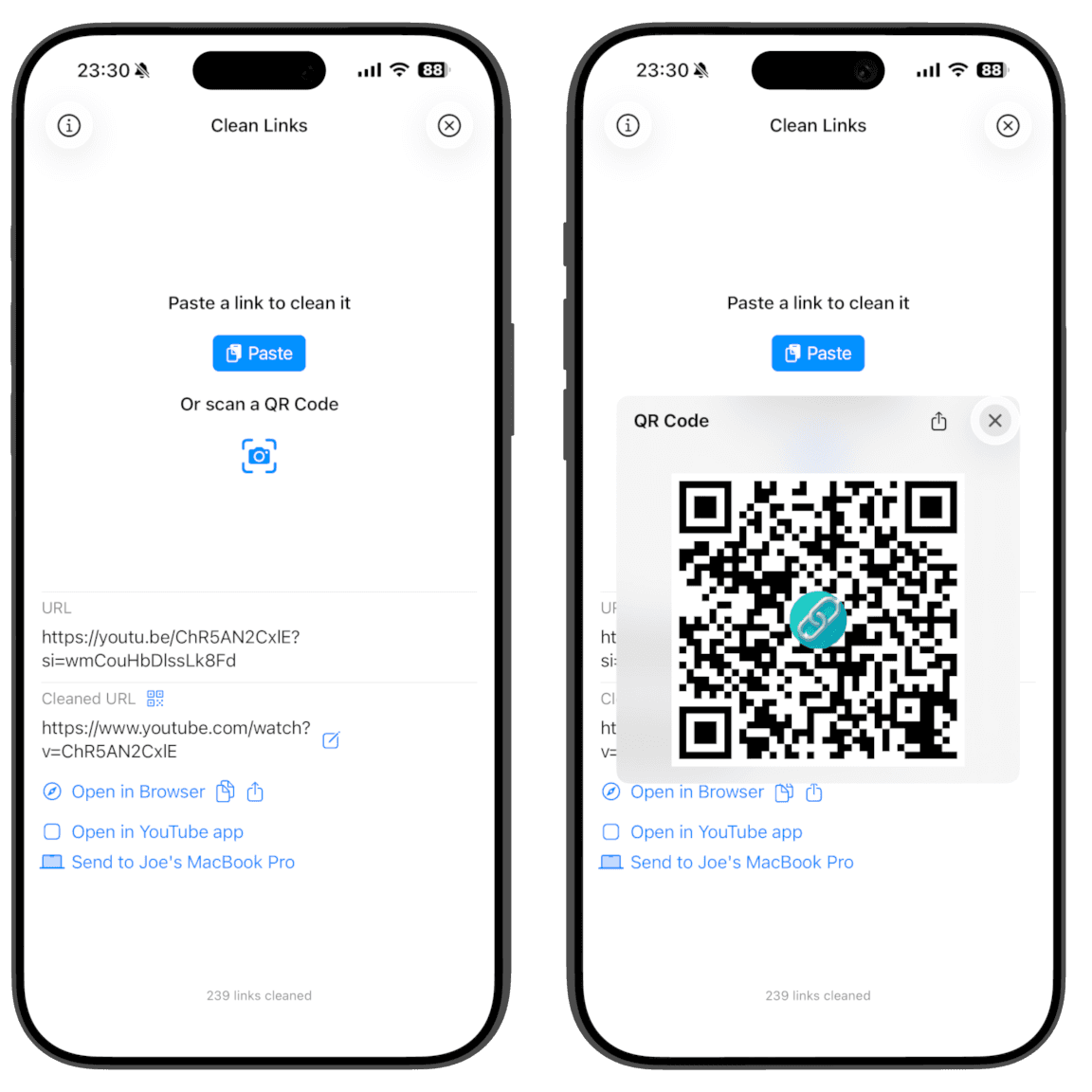
The YouTube share button adds an si ID and other parameters so Google can attribute views and map who you share with. Clean your YouTube links with Clean Links before you paste or send so friends get the same video without surveillance.
Why YouTube Tracks Links
- Attribute views and conversions to specific accounts and ads
- Measure how videos spread through social and messaging apps
- Map who shares what with whom (share graph)
- Keep traffic flowing through Google‑controlled URLs
Why You Should Clean YouTube Links
- Remove account‑linked
siand noisyfeatureparameters - Drop
gclidand UTMs from ad clicks - Preserve timestamps (
t=) so your time cues still work - Share the same video without tracking
How Clean Links Cleans YouTube Links
- Recognizes YouTube and youtu.be links automatically
- Removes
si,feature,gclid, and UTMs; keepst=when present - Works from the iOS Share Sheet; clipboard cleaning is macOS only
- All processing happens on-device. No logs. No servers. No tracking
Common YouTube Tracking Parameters To Watch
si- account-linked share identifier injected by the share buttonfeature- discovery source (for example: share, youtu.be, embed)gclidand UTMs - ad and campaign identifiers sometimes added by links in descriptionst- timestamp for deep linking; this is preserved by Clean Links
Cleaning removes the surveillance tokens while preserving video functionality, including timestamps.
How To Clean YouTube Links On iPhone, iPad, And Mac
Using the Share Sheet is the fastest and easiest way to clean links. Alternatively, open the app to clean and auto-copy the result.
iPhone and iPad (Fastest: Share Sheet)
- Open YouTube and find the video you want to share.
- Tap Share and choose Clean Links in the share sheet.
- Clean Links cleans the URL immediately, removes
si/feature, and offers Copy or Share. - Tap Share to reshare - iOS opens another share sheet prefilled with your cleaned link.
- Or tap Copy to paste anywhere.
- Optionally: Generate QR to share in person.
- Optionally: Send to Mac to open on your Mac - works even if it is offline or on another network.
iPhone and iPad (In The App)
- Open Clean Links.
- Paste the YouTube URL and clean it.
- Clean Links automatically copies the cleaned link to your clipboard so you can paste anywhere.
Mac (Menu Bar)
- Copy any YouTube URL on your Mac.
- Use the Clean Links menu bar app to replace it with the cleaned link.
- Paste anywhere with tracking removed and timestamps preserved.
Clean Links Features
- Available on iPhone, iPad, and Mac
- Unmask shortlinks like
bit.ly,t.co, andvm.tiktok.com - QR code reader and generator for clean sharing
- Send to Mac: open the cleaned link on your Mac - works even if your Mac is offline or on another network
- Apple Shortcuts support to automate cleaning in your workflows
- Privacy-first design: no analytics, no identifiers, no link history
FAQ: YouTube Link Cleaner
Does cleaning change the video destination? No. The video URL is the same without the tracking.
Do timestamps still work? Yes. Clean Links preserves t= so your time cues open at the right moment.
Will cleaning affect creator revenue? Cleaning removes tracking parameters. It does not block viewing, likes, or subscriptions.
Does Clean Links send data to servers? No. Everything runs on-device with no logging or accounts.
Why can't I just clean links manually? Many trackers appear after redirects or are added by wrappers. Manual trimming misses those and can break timestamps. Clean Links follows redirects, preserves t=, and cleans the final URL.
How is this different from browser link cleaners or Safari's protections? Clean Links works from the Share Sheet across apps, follows redirect chains, and runs fully on-device. See Link Cleaner vs Clean Links and Clean Links vs Safari ATFP.
Get Clean Links
Share YouTube videos without extra tracking. Download Clean Links free and keep your shares private.